Twelve built-in INI presets for ARK: Survival Evolved, from Super Hard to Content Creator. Click a card and
RazorReaper writes it to your game config — after a backup of the old file.
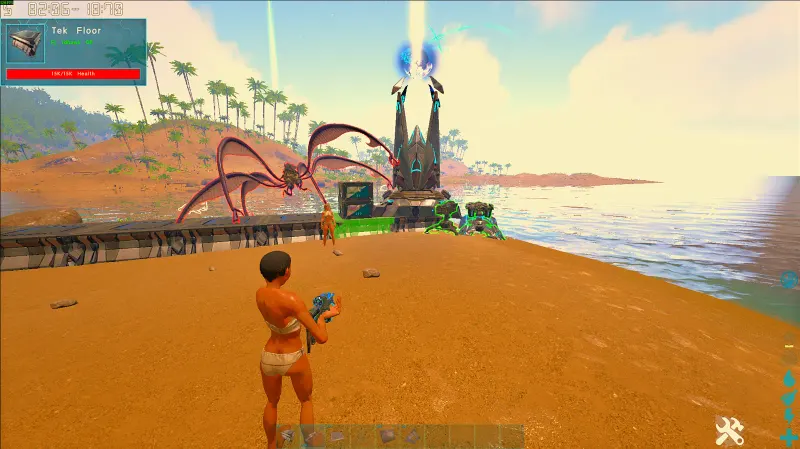
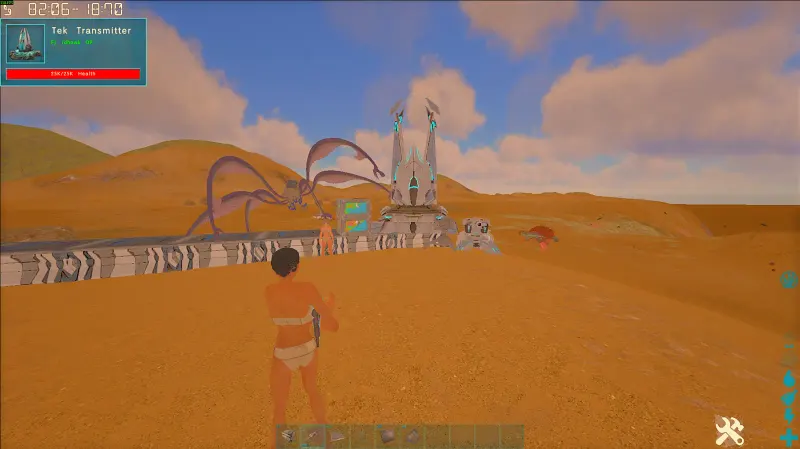
Each preset is a card with an in-game preview. Click one and it is written straight to the live
BaseDeviceProfiles.ini in your ARK folder — no copying files by hand. Before every save or
clear, RazorReaper copies the old file to its backup folder and keeps the newest 20 copies.
INI Changer
Your presets
Save your own
Turn what is in the built-in INI editor, or an imported .ini file, into a preset with a name, a short
description and an optional preview image.
Live file
Open, check, save, clear
Work on the live INI right in the app, with a built-in INI editor under the preset cards.
Export
Every preset in one zip
Export saves all presets, built-in and your own, as one zip file in your Downloads folder.
Built in
Twelve presets. Pick your trade-off.
The line next to each name is the one the app shows on its card.
Performance
FPS first
Super Hard — Max FPS, minimum visuals.
Hard — Raid-grade FPS.
Hard Black — Dark theme, perf-tuned.
Semi Soft — Soft visuals, gentle FPS bump.
Visibility
Spot players
Hard Stalker — Long-range PvP visibility.
Stalker — Player/dino spotting.
Look
Change the scene
Soft — Balanced look and FPS.
Black Spyglass — Dark with Spyglass tweaks.
Content Creator — Content creator tuning.
Black Semi Hard — Black tinted scene.
Clear Water Snow North — Snow biome with clear water.
Default — Game default.
Game default
Super Hard
Same spot, same time of day. Compare seven presets with the slider on the
RazorReaper home page.
ARK Tweaks · INI Builder
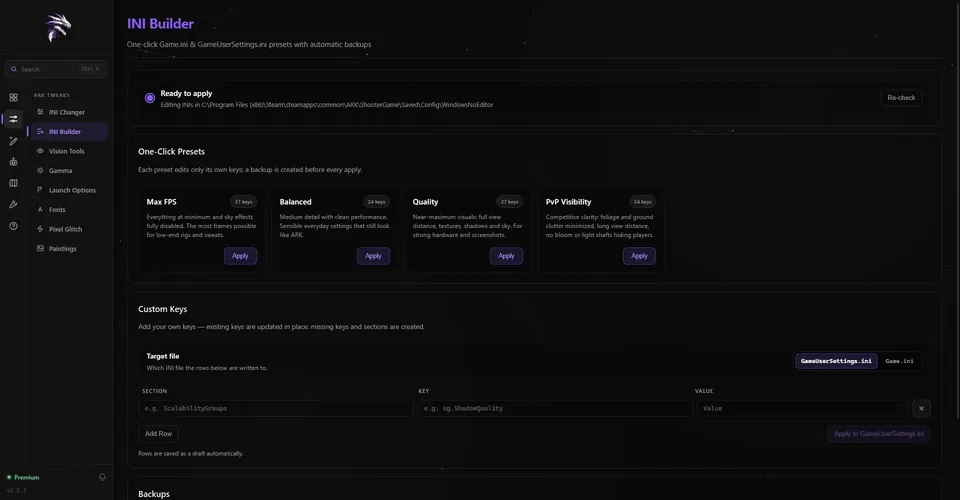
INI Builder. Your own keys, too.
INI Builder · GameUserSettings.ini
One-click presets with backups.
Max FPS, Balanced, Quality and PvP Visibility — each edits only its own 24 to 27 keys
A backup before every apply; the last 20 per file are kept
Restoring a backup snapshots your current file first
Your own keys for GameUserSettings.ini or Game.ini — missing keys and sections are created
Close ARK first: the game rewrites GameUserSettings.ini when it exits, so the INI Builder won’t apply
while it is running. The PvP Visibility preset is explained on the
ARK PvP settings page.
INI Builder
How it works
Three steps to a new look.
01
Download
Get RazorReaper free for Windows 10 or 11 and install it. It finds Steam ARK: Survival Evolved for you.
02
Open the INI Changer
Open INI Changer in the sidebar’s ARK Tweaks group. The twelve presets are already there.
03
Click a preset
Click any card to apply it to your live ARK INI. Changed your mind? Click another one, or Default.
FAQ
Good to know.
Which files does it change?
The INI Changer writes BaseDeviceProfiles.ini in ARK’s Engine\Config folder. The INI Builder
writes GameUserSettings.ini, and Game.ini for custom keys, in
ShooterGame\Saved\Config\WindowsNoEditor.
How do I undo a preset?
Click another preset, or Default for the game default. The INI Changer also copies the old file to
RazorReaper’s backup folder before every save or clear and keeps the newest 20. The INI Builder lists its
backups and restores one with a click.
Is the INI Changer free?
Yes. The INI Changer and the INI Builder have no monthly limit in the free version. Premium lifts the
quota on a few other features.
Does it work with ARK: Survival Ascended?
No. RazorReaper is for Steam ARK: Survival Evolved on Windows 10 or 11. ARK: Survival Ascended, the
Microsoft Store version and consoles are not supported.