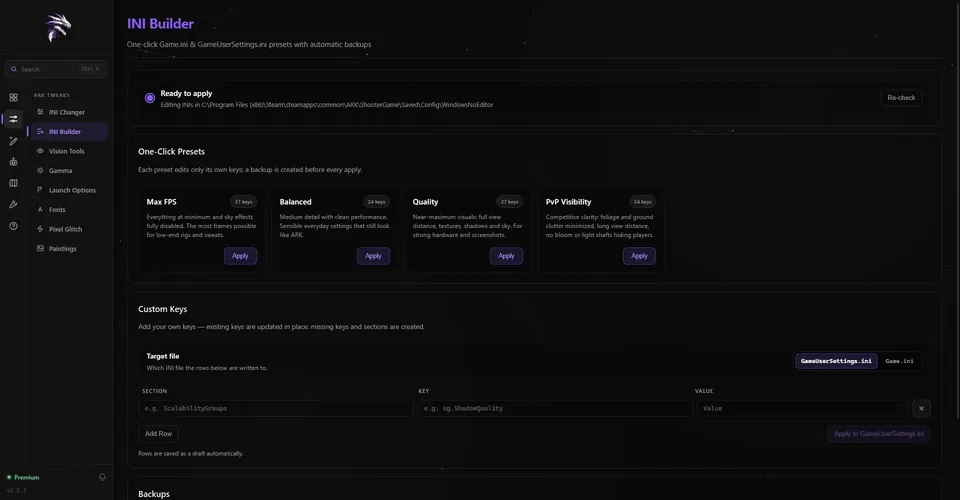
The INI Builder’s PvP Visibility preset sets 24 keys in GameUserSettings.ini: ground clutter, its density
and its radius to zero, the full view distance, shadows, post-processing and sky quality at their lowest,
bloom and light shafts off, and no motion blur, film grain or VSync. A backup is made before it applies.
INI Builder
INI Changer · Stalker presets
Presets tuned for spotting.
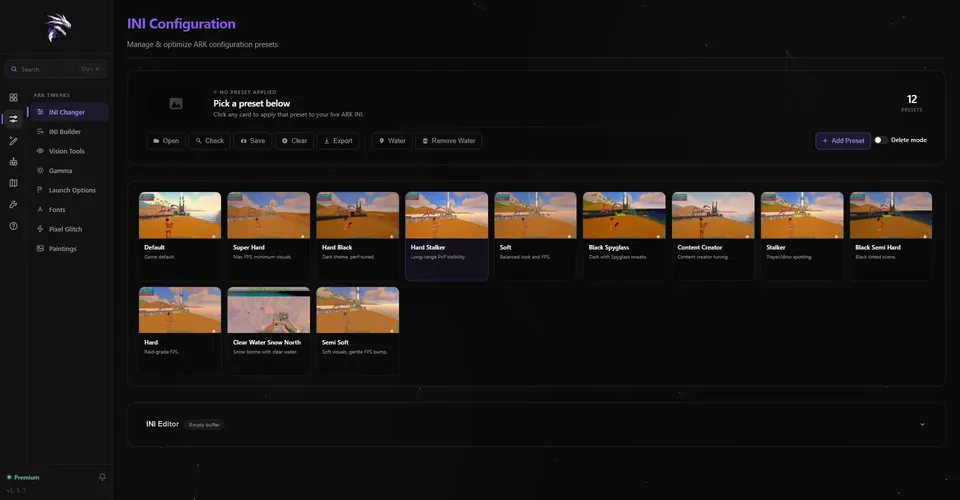
In the INI Changer, Hard Stalker is tuned for long-range PvP visibility and Stalker for spotting players
and dinos. One click applies either, after a backup of the old file. All twelve presets are on the
ARK INI Changer page.
INI Changer
In game
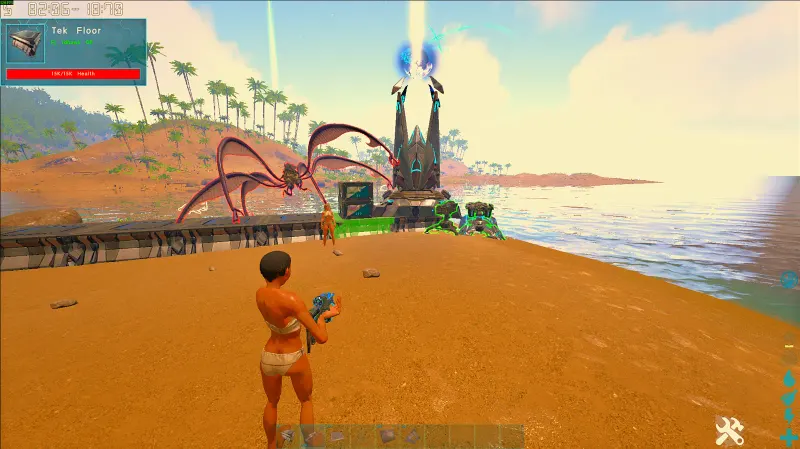
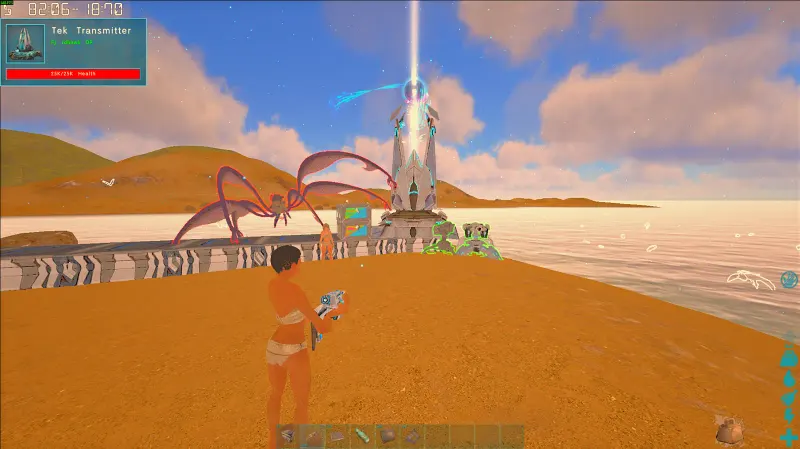
Default vs Hard Stalker.
The same spot and time of day, once with the game default and once with Hard Stalker.
Game default
Hard Stalker
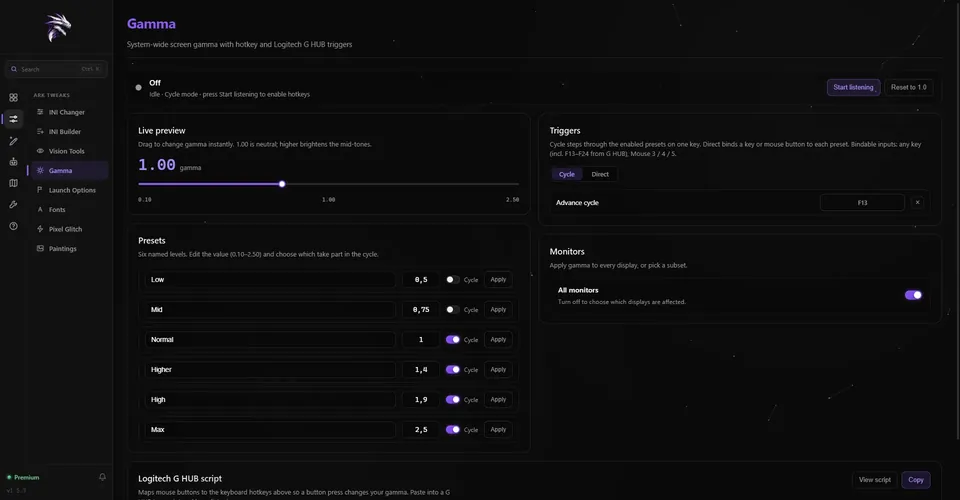
ARK Tweaks · Gamma
ARK gamma. On a hotkey.
Gamma · Presets & triggers
Six levels, one key.
Low 0.50 up to Max 2.50, each adjustable from 0.10 to 2.50
Cycle mode: once listening, F13 steps through Normal, Higher, High and Max by default
Direct mode: F14 for Normal and F15 for Max by default
Any key, F13–F24 included, or mouse button 3, 4 or 5 as a trigger — plus a Logitech G HUB script
Gamma is system-wide: it changes the whole screen, on every monitor or the ones you pick, and the original
comes back when RazorReaper closes.
Gamma
Vision Tools · Crosshair
A wider view. Your crosshair.
Vision Tools
Custom FOV
Set ARK’s FOVMultiplier from 1.00 to 1.60 — past the in-game slider, which stops at 1.35. Made for
ultrawide and triple-monitor setups.
Vision Tools
TEK camera
Brings back ARK’s classic third-person camera trace and offset in GameUserSettings.ini. One click turns it
off again.
Utilities
Crosshair overlay
An always-on-top crosshair with presets, animations and shareable codes, toggled with F8 by default.
More on the ARK crosshair overlay page.
How it works
Three steps to PvP-ready.
01
Download
Get RazorReaper free for Windows 10 or 11 and install it. It finds Steam ARK: Survival Evolved for you.
02
Close ARK
ARK rewrites GameUserSettings.ini when it exits, so apply INI presets while the game is closed.
03
Apply and play
Apply PvP Visibility in the INI Builder, press Start listening on the Gamma page, then launch ARK.
FAQ
Good to know.
Does gamma only change ARK?
No. Gamma is system-wide: it changes the whole screen, on every monitor or the ones you choose.
RazorReaper puts the original gamma back when it closes.
Why does ARK have to be closed?
ARK rewrites GameUserSettings.ini when it exits, so changes made while it runs would be lost. That is why
the INI Builder won’t apply while the game is running.
Can I get banned for using it?
RazorReaper makes no promises about anti-cheat or server rules. These settings change ARK’s INI files and
your screen’s gamma; they do not modify the game process. Every server has its own rules, so check them.
Use is at your own risk.
Are these tools free?
Yes. The INI Builder, the INI Changer, Gamma and Vision Tools have no monthly limit in the free version.